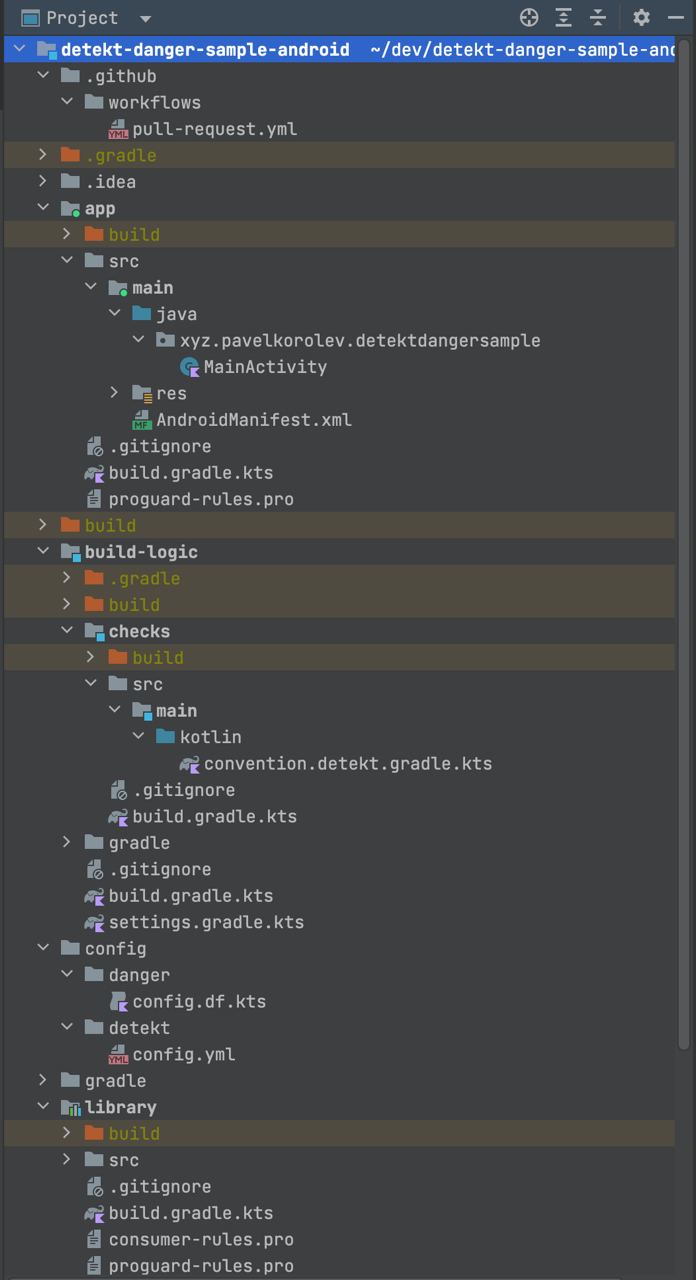
Project Navigator
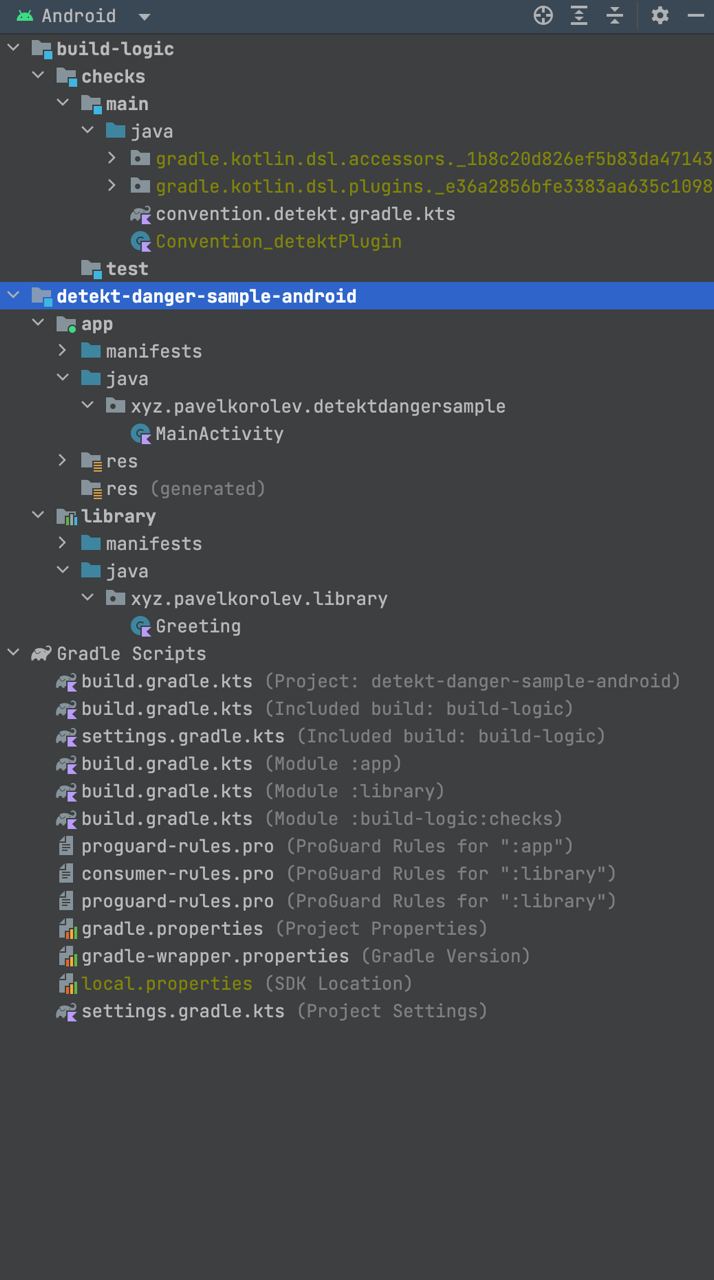
One of the greatest mysteries of Android Studio for me is that by default, the project tree panel has Android mode selected.
This is when it displays not the real file tree, but some "simplified view" that has little in common with files in the file system. Which collapses all Gradle files, proguard configs, properties (etc.) from all modules into one pile called Gradle Scripts. Mixes your code with generated code. Assumes you don't need any other files at all: READMEs lying in modules, CI configs, plugin configs, gitignore. In Android mode, even the basic ability to find an open file is absent if it's not displayed there at all.
So at some point Google decided that a software engineer (an advanced PC user, by the way), doesn't need to see real files, they need it to look pretty. So why don't you just change the file structure to be pretty then? Why is this solved at the presentation level? How can you even come to the idea that you can just not show some files in the project? All my files are needed.
And before, this wasn't a big problem, everyone just knew that the first thing after opening a project was to switch back to Project. But now you realize that a whole generation of developers has grown up who haven't even seen the Project tab in that dropdown.
There are no advantages. This just complicates already complex concepts like modules and configuration. Hides clutter from the developer's view that should be deleted. Developers unlearn to think that there's anything in their repo besides code. When you have more than one module in your project, this turns into hell.
Coming up with this - is a crime by Google against Android developers and a complete disgrace. The Project panel should always have the Project view selected, zero exceptions.